Tag: github

  • Creating a unified coding style guide for GitHub and GitLab

    Creating a unified coding style guide for GitHub and GitLab

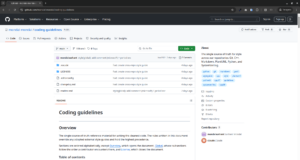
    I commit a lot to GitHub and my privately hosted GitLab server. To keep my coding style consistent across all my commits and repositories, I created mondal-mondal/coding-guidelines (yes, for that I had to create a GitHub organization for Mondal & Mondal first!).

    You may ask why I had to create an organization for that. Why could not I just host the repository in my personal namespace? It is because my brother also actively engages in the day-to-day research done in our private GitLab server. And for our future team members to be in our fleet pretty soon, I decided to spin off an organization to keep things “shared” instead of “personal.”

    Because many of us work in collaborative teams and projects, especially if the project is open source, people often cannot settle on one coding convention or style that they can cleanly inherit for the entire project without a “style guide.” A “style guide” is nothing but some written rules on preferences while coding to avoid style arguments between a project’s members. That central “style guide” can be this new repository.

    The repository is hosted on my private GitLab server, and a push mirror has been set up from GitLab to GitHub.

    Do not worry if your merged PRs would be overwritten or not, because GitLab does not force push to GitHub as I turned on the “Keep divergent refs” feature! “Keep divergent refs” feature allows you to keep a divergent history, for example, a merged PR, in GitHub without overwriting it using the master copy that is administered by GitLab. This helps the GitHub community to contribute to this repository without their efforts being destructively erased by a force push from GitLab.

    The young phase of this repository supports coding conventions across these languages only for now: Git, C++, Markdown, PlantUML, Python, and SystemVerilog.


    How to contribute to the repository using pull requests (for GitHub first-timers!)

    Any contribution to this repository, even for new languages that are still related and relevant to the RTL and verification industry, is appreciated. Follow the guide below to learn how to create a contribution, specifically a new GitHub pull request (PR):

    Fork this repository from here:

    …or directly fork by clicking on this button:

    Then, clone the forked repository to your local computer:

    git clone https://github.com/<your-github-username>/coding-guidelines

    cd to the cloned-repository directory and create a new branch from which you will create a PR:

    cd coding-guidelines
    
    # Create a new branch.
    git checkout -b <type>/<description>

    Refer to Conventional Branch to learn how to properly name your branch according to the type of the future PR.

    Open the forked repository with your favorite code editor. I will open it with VS Code for a demonstration here:

    code

    Make your necessary changes and do not forget to save them!

    After making your changes, push your changes:

    # Add all the files changed to the commit using the period wildcard.
    git add .
    
    git commit -m "<type>[optional scope]: <description>"
    git push origin <type>/<description>

    Refer to Conventional Commits to learn how to write a clean commit message.

    After pushing your changes, you are now finally ready to open a new PR to the upstream repository:

    1. Open your web browser and go to the original (upstream) repository or your forked repository.
    2. Look for a yellow banner at the top that reads: “<type>/<description> had recent pushes less than a minute ago.”
    3. Click the green “Compare & pull request” button next to it.

    You created your first PR! Now wait for an admin (usually me) to check your commit and approve the changes proposed by your commit(s) if they are valid. Thank you for spending your valuable time to read this quick tutorial and grow this repository.


    Star the repository on GitHub so you do not lose it:


    If you reached here, congratulations! You are one of the few people who actually care to grow the open-source world. Keep it up! See you next weekend.